September 2023
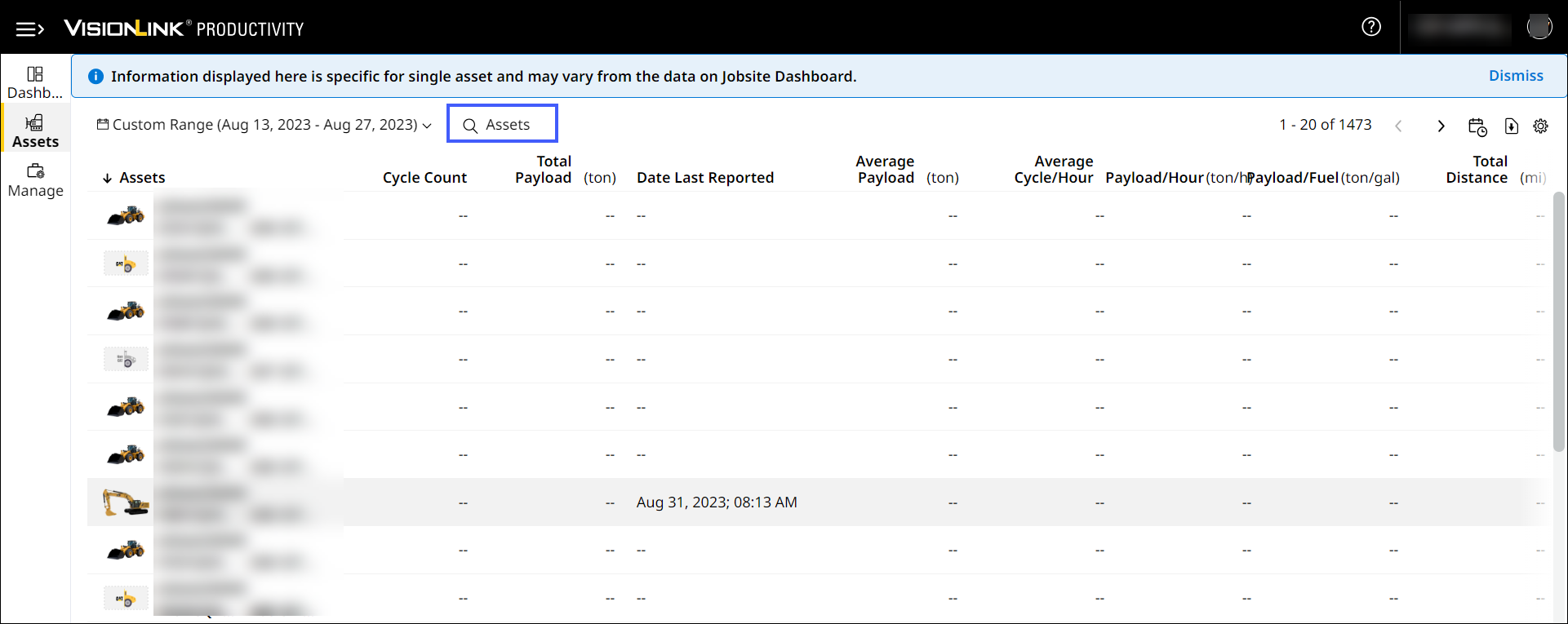
Introducing Search Feature in Assets
Search assets by asset ID or serial number. Enter a minimum of three characters to auto-populate search results. Find and learn more about your asset’s performance that much faster.
New Asset Details KPIs
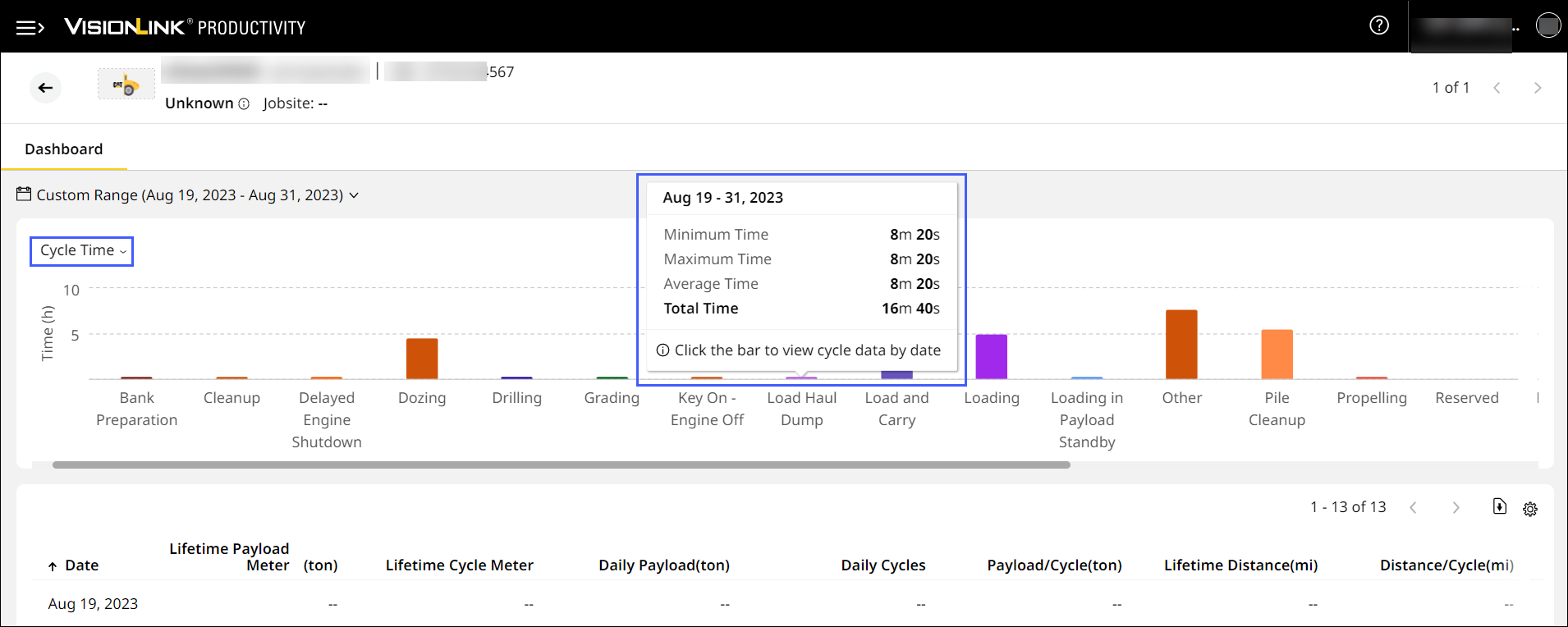
Select these newly included KPIs in Asset Details Dashboard to view and further analyse your asset’s performance if subscribed to NewVisionLink, PerformancePro with Additional Service of Advanced Productivity:
-
Cycle Details
-
Cycle Distance
-
Cycle Fuel
-
Cycle Time
For each KPI, you can view the minimum, maximum, average and total values each for productive and non-productive cycle.
Vanakkam, VisionLink Productivity!
In addition to the 28 languages we support, you can now access VisionLink Productivity in Tamil as well. Click language drop down on Sign In to switch between your desired language(s). View the data in your language across Sites Dashboard, Assets and Manage.

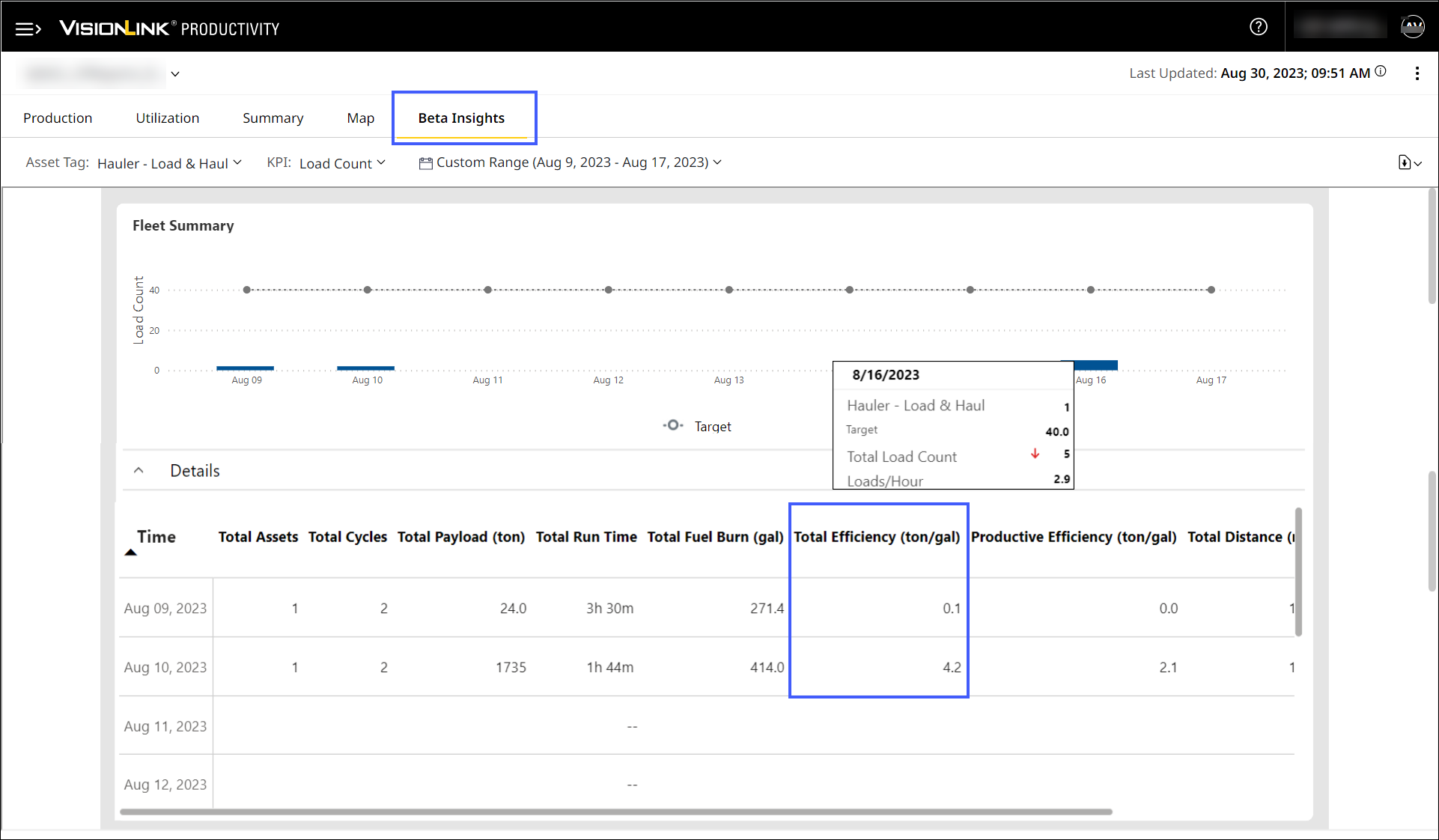
View Total Efficiency on Insights
Obtain additional data on your asset’s efficiency under Total Efficiency column on Insights Summary and Beta Insights. Total efficiency indicates the asset’s efficiency when the asset is running.
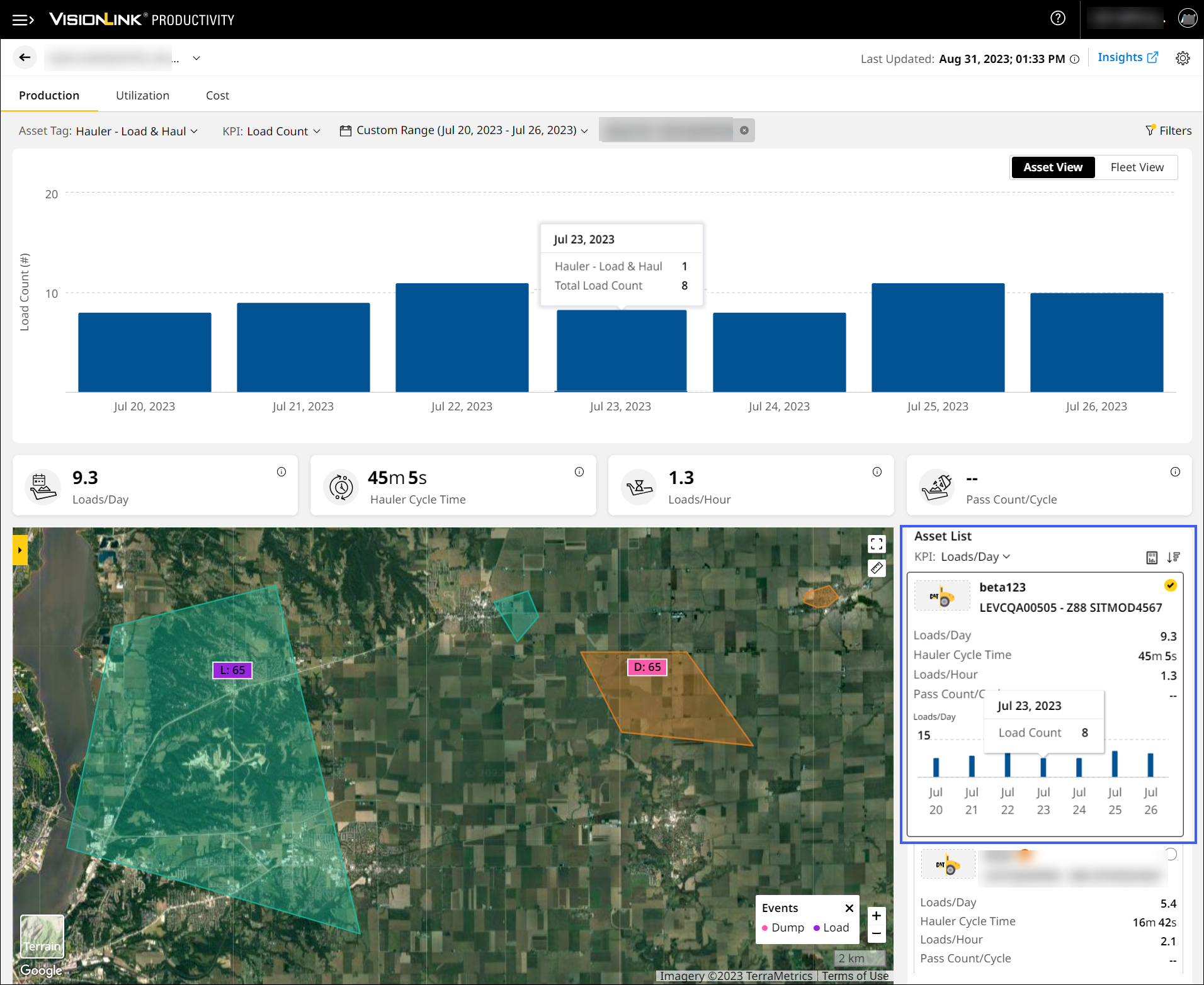
Enhancement in Asset List
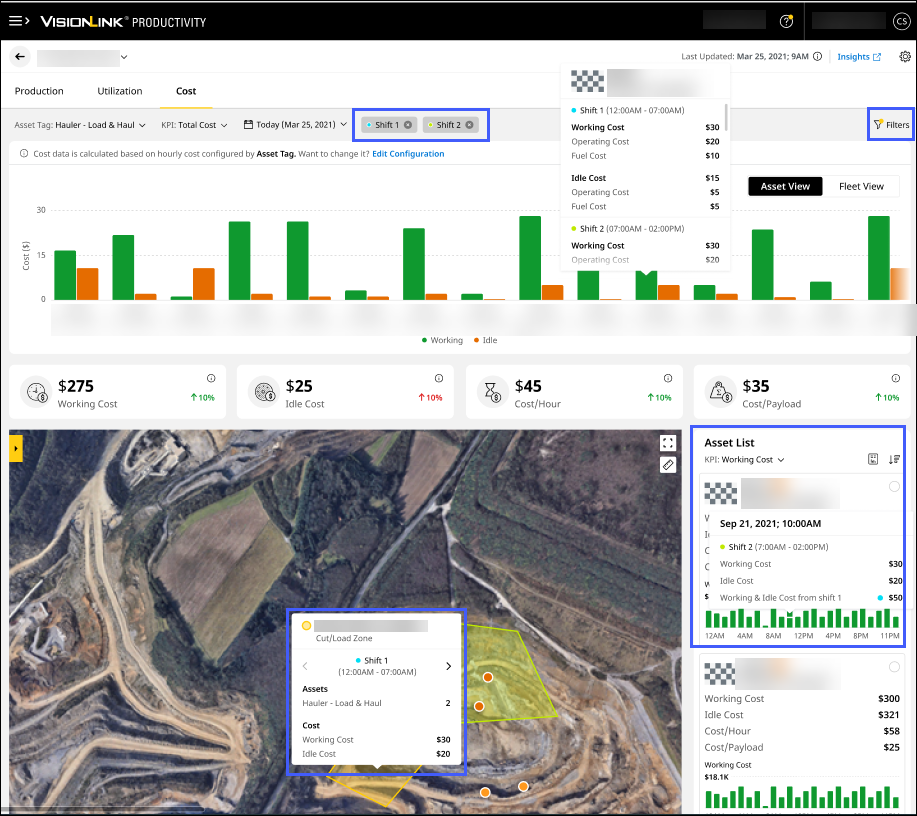
The new and improved bar graph under Asset List makes it easier to quickly view each configured asset’s overview. This feature is available for the selected date range across Production (Site), Utilization (Site) and Cost (Site).
View Shift Data on Cost
Filter shift data to refine Cost KPIs. This allows for a more granular analysis of your site's performance within a specific time-period. You can also click on hotspot in map view and zones to display shift data.
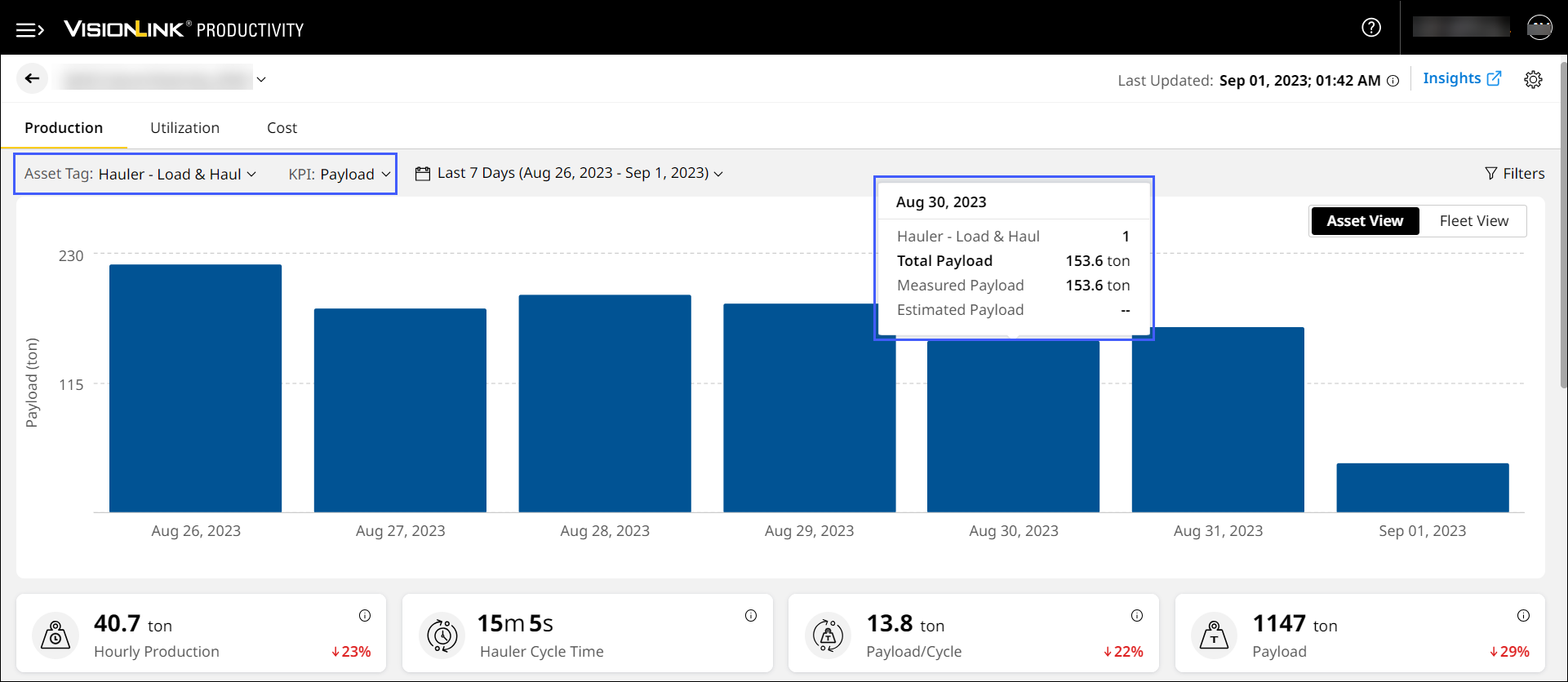
Enhanced Productivity Tracking with Improved Payload Accuracy
Productivity calculations as well as payload values will more closely reflect the values operators identify onboard the asset. Going forward, VisionLink Productivity’s features and reports will identify the most accurate payload value from multiple onboard sources and utilize that value for calculations. This is applicable for Loader - Load & Haul, Hauler - Load & Haul and Load Out asset tags. Estimated Payload configured when creating sites will be used for hauler assets that don’t report payload.
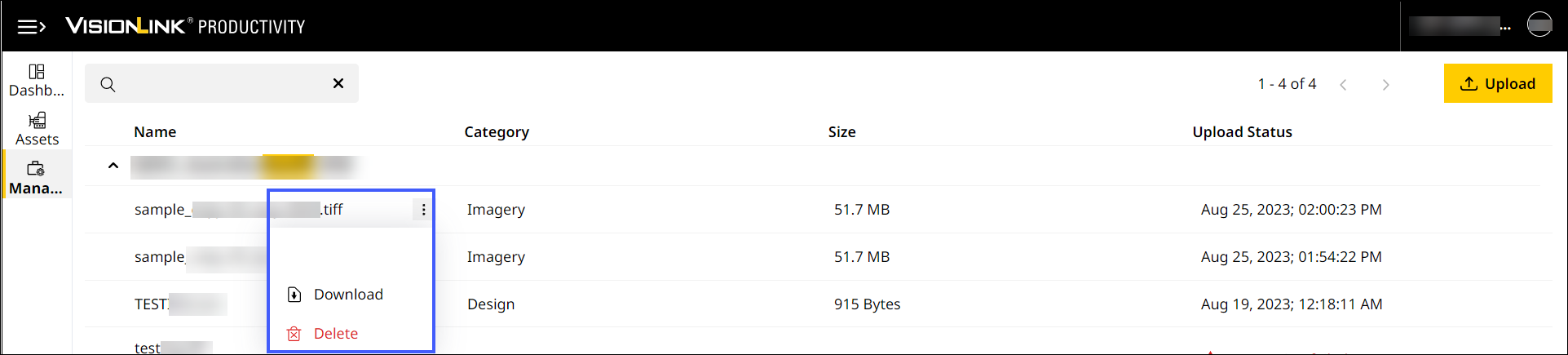
Download and Delete Files
On Files, you can now perform the following:
-
Download and save required files for further analysis or sharing.
-
Delete files.
Resolved Excessive Fuel Burn Count in Utilization: CPI 528131
The backend team has fixed the erratic fuel burn data coming from onboard assets. The required utilization fuel values reflect accurately across all assets in a site now.
Rectified Difference in Loader Cycles Data Between Hauler – Load & Haul and Loader – Load & Haul Asset Tags: CPI 527239
There was a mismatch in loader cycles data when switching between Hauler - Load & Haul and Loader – Load & Haul asset tags in Production (Insights). This was rectified by deleting the dummy cycles data. The relevant loader information is reprocessed and available to view.
Fixed Missing Cycles in Insights Production: CPI 525541
Due to long duration cycles, there were less cycles reported for multiple trucks on Production (Insights). The backend team has fixed this issue through a stockpile analysis. Truck data will now reflect accurately in both application and reports.
Resolved View Cycle Details Issue in Insights Map: CPI 532197
With a backend system fix, the issue in viewing cycles details on Map (Insights) has been resolved. Now, view locations of all segments plotted on the map by clicking more options  > View Cycle Details on Production (Insights).
Fixed Unknown Loader Issue in Insights Production: CPI 527283
"Unknown" cycles were found when loaders and haulers were nearby, and loaders performed loading cycles. The issue occurred as the proximity between the assets was 30 meters and it was resolved by a backend system fix.
Rectified Missing Site Images in Insights Map: CPI 531082
A discrepancy was found in the site images uploaded by a particular account. This resulted in lack of data on Insights Map. The backend team has fixed the discrepancy and the missing site images are now visible.
Resolved Assets Tab Loading Issue: CPI 529672
By removing double quotes in few asset IDs, the backend team has fixed the loading issue occurring on Assets. The page now loads normally and relevant asset data is available to access.
Fixed Adding Assets to Site Issue: CPI 532644
Due to account (CCID) consolidation, subscribed assets couldn't be added to a site. The backend team has rectified this issue and you can now add the required assets.
Rectified Preference Issue in Payload Details Reports: CPI 532772
There was a discrepancy in set preferences while generating Payload Details report. This is corrected and all future reports will reflect the selected preferences.
Resolved Site List Summary Report KPI Issue: CPI 531588
Previously, Site List Summary Report provided data for only one KPI. The backend team has fixed it to include all relevant KPIs in future downloaded and/or scheduled reports.