June 2023
View Loads Per Shift Data on Site Summary
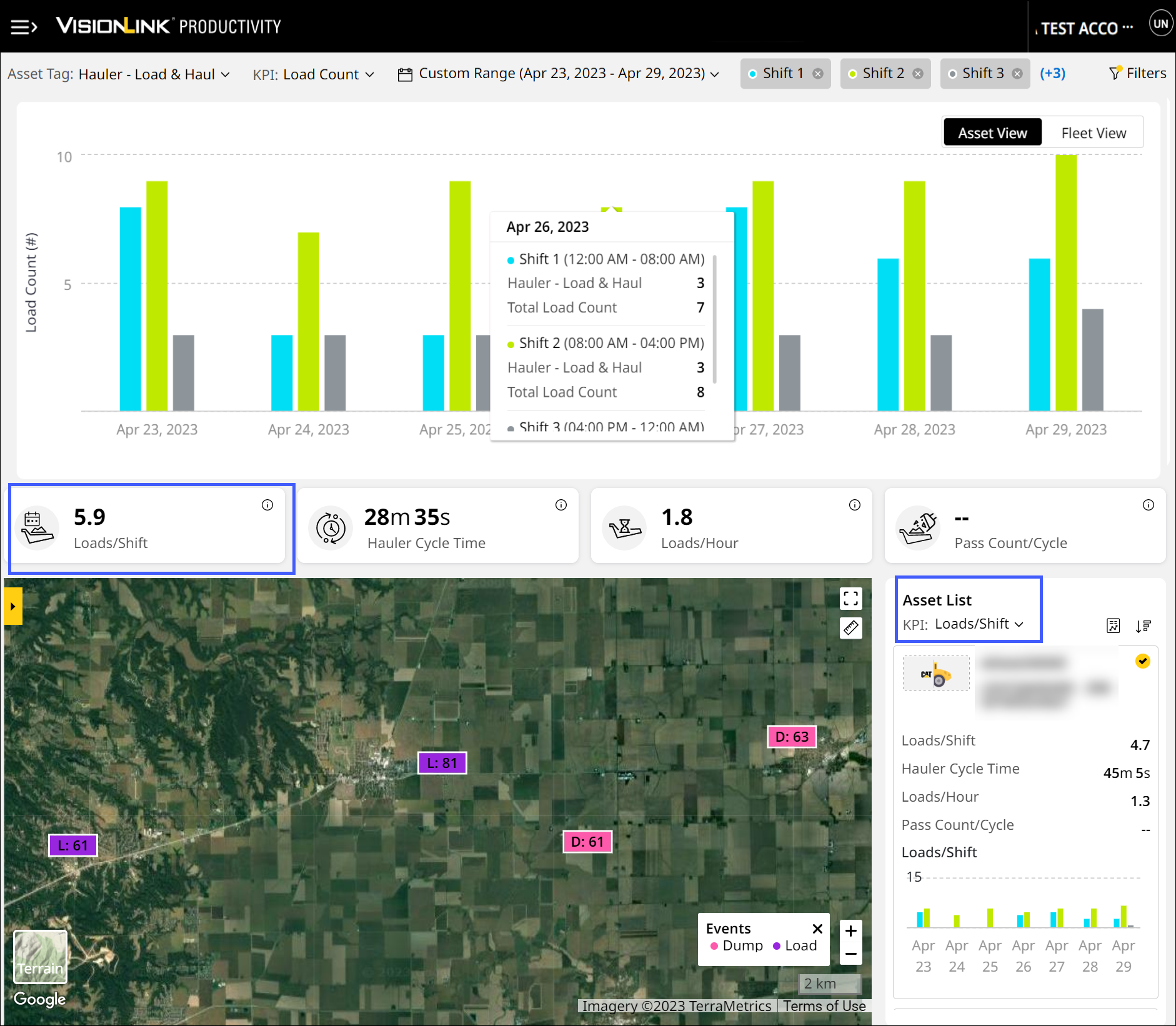
In addition to Loads/Day and Loads/Hour KPIs, now further assess your site’s productivity with Loads/Shift data. This feature tracks total loads per shift for Hauler – Load & Haul and Loader – Load & Haul asset tags. You can view it in Site Summary as well as select and view it under Asset List.
Schedule Reports for Assets Now
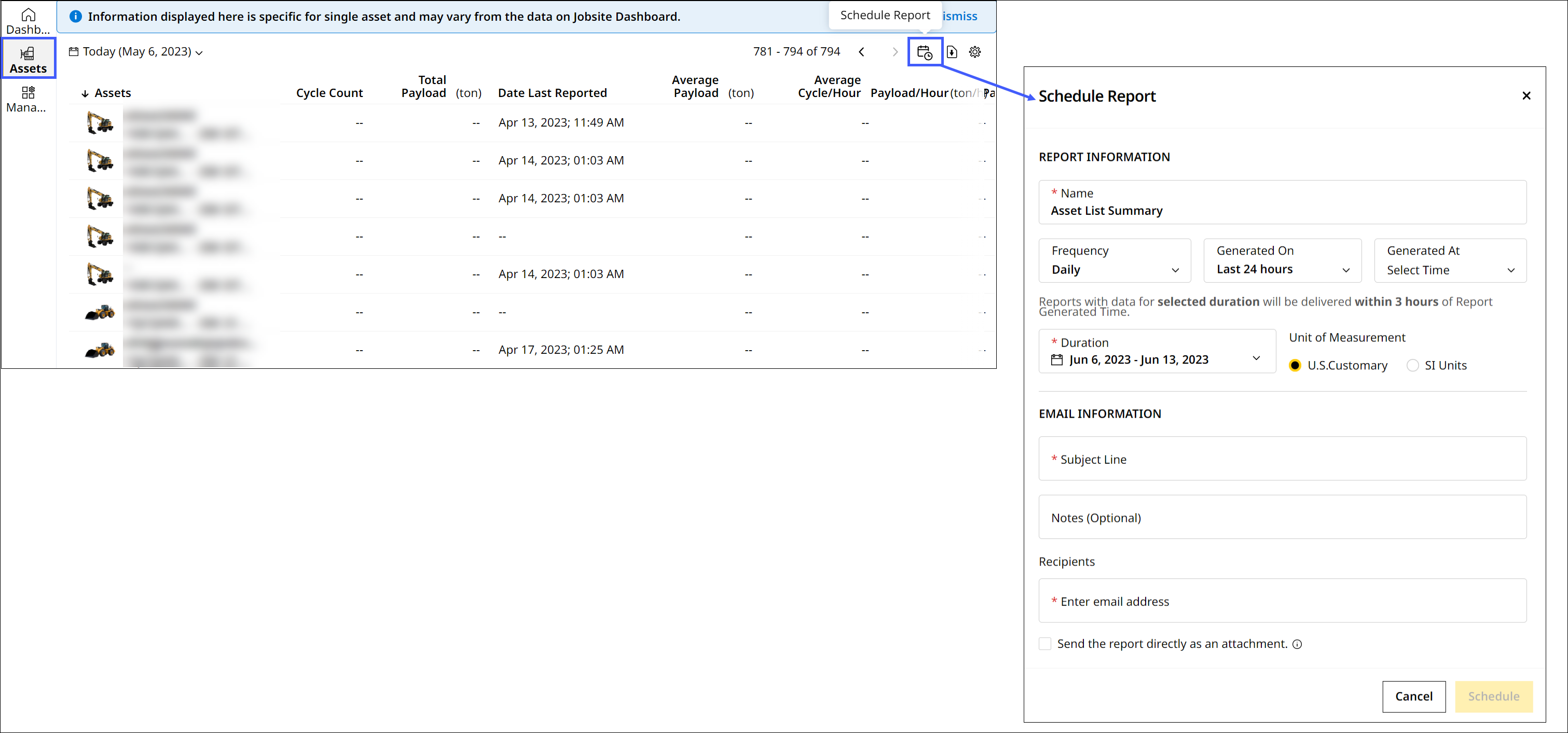
Use Asset List Summary report to obtain complete productivity data for all assets in your account. Schedule this report on Reports and receive summary updates on a daily, weekly and monthly basis. You can also directly schedule or download the asset list summary report as a .csv file on Assets.
Introducing Site Summary Walkthrough
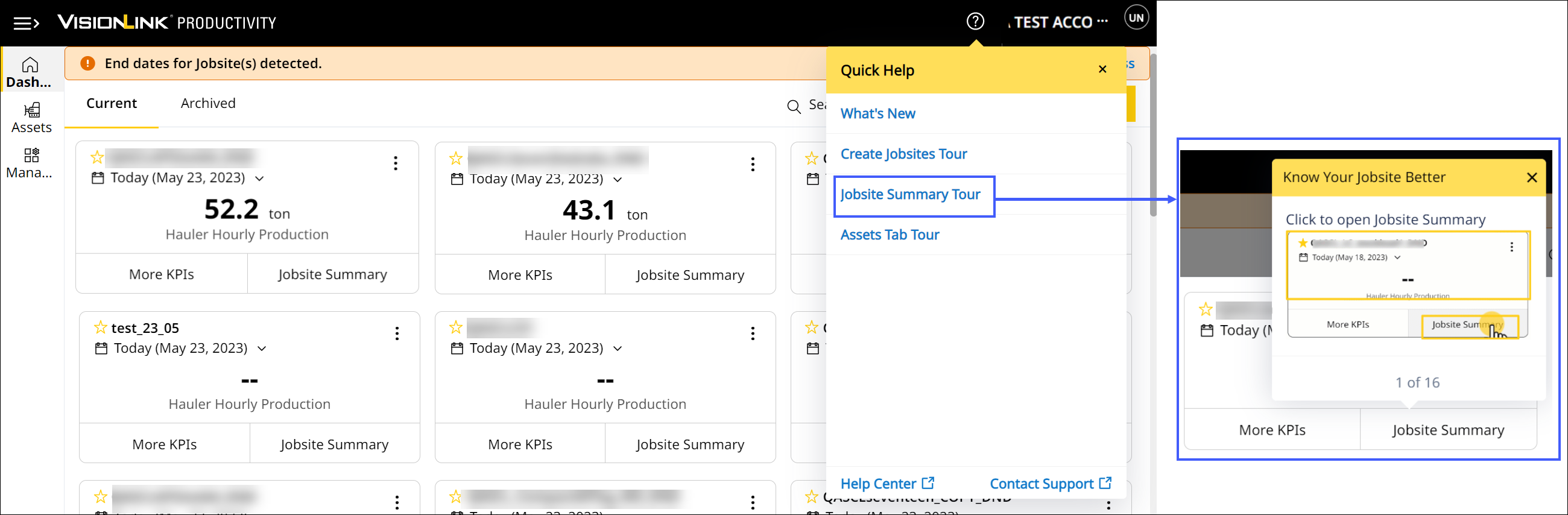
A new guided tour is now available for Site Summary. Navigate Production (Site), Utilization (Site) and Cost (Site) tabs with step-by-step instructions. Master how to perform the following tasks easily:
-
Visualize site data in charts, maps and KPI cards.
-
Track production metrics such as payload and load count.
-
Quantify idle time and fuel burn.
-
Calculate your hourly operating and fuel costs.
View Subscribed Assets Instantly
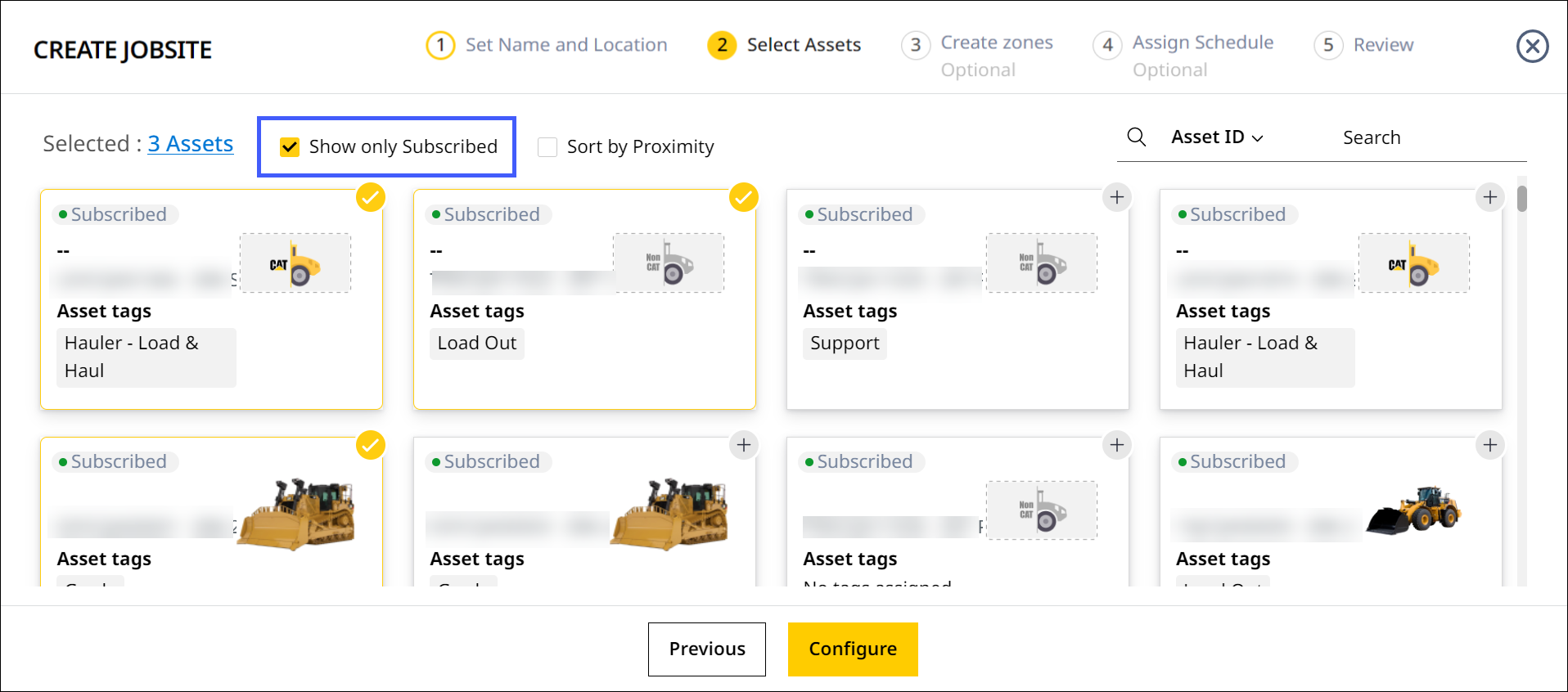
The existing Show only Subscribed option on Create Site's Select Assets is now enabled by default. This makes finding and configuring assets even more efficient and quicker than before.
Total Efficiency is Now Productive Efficiency
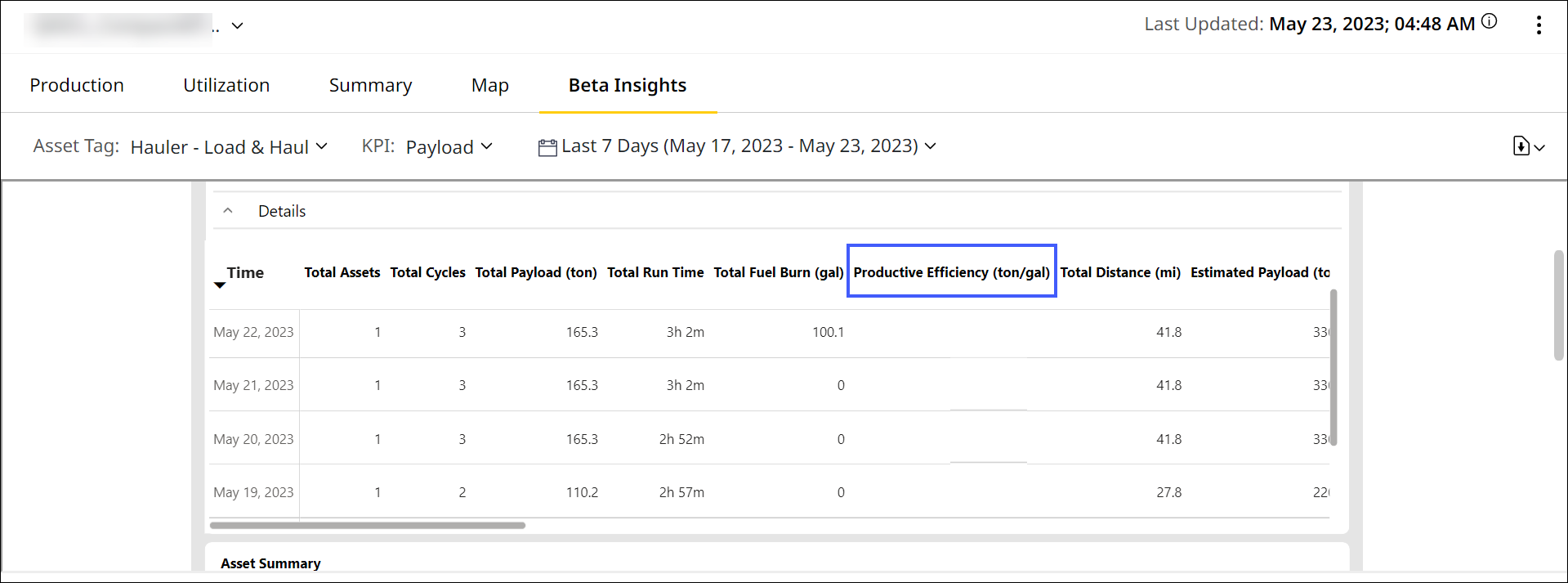
To eliminate any confusion, under Summary (Insights) and Beta Insights, Total Efficiency column is now renamed as Productive Efficiency. Productive efficiency is the summation of total payload divided by total fuel burned for productive cycles only.
Add Site Images Directly
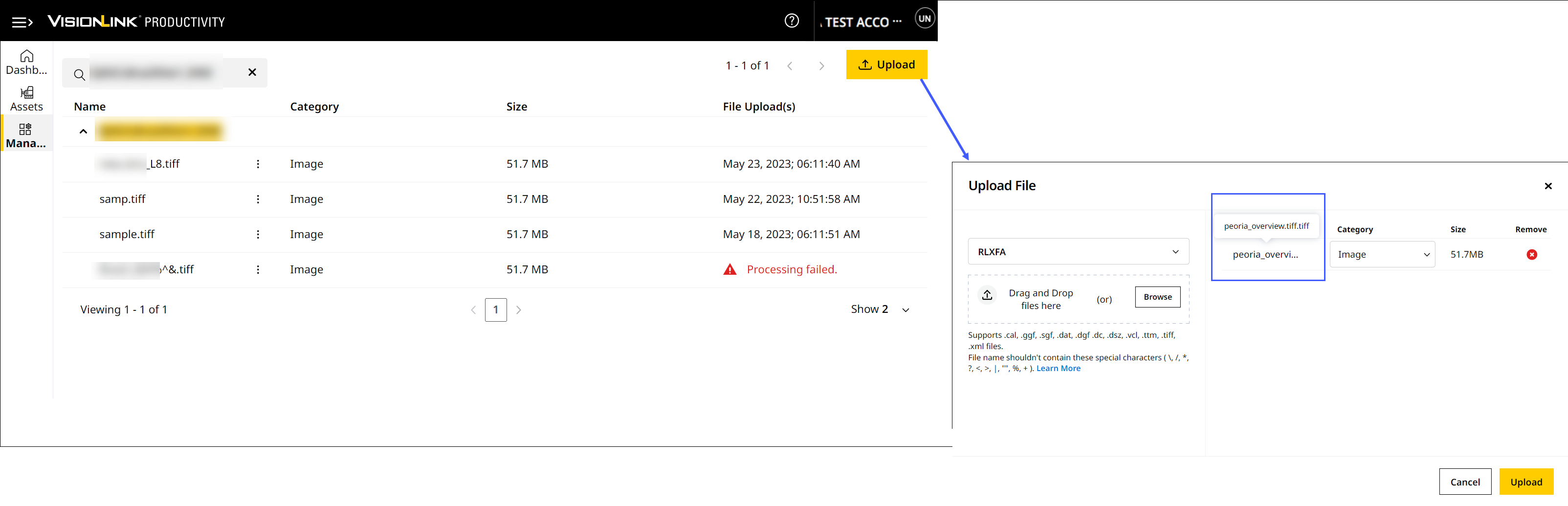
Add site images to the map view by uploading .tiff (geotiff) files directly now. Instead of raising request via Contact Support  form, you can add site images through Manage > Files.

Supported file size:
• Minimum: 5MB
• Maximum: 80GB
Fixed Missing Asset in Remote List – CPI 525784
A backend system fix has corrected missing asset data on Remote List. The relevant product family information is now reprocessed and available to view.
Rectified Difference in Utilization Fuel Data – CPI 517859
The backend team has made an upgrade to eliminate any asset’s invalid fuel data. The required utilization fuel values reflect accurately across all assets in a site now.
Resolved Unknown Loader Trend in Multiple Sites – CPI 526349
The backend team has made an update to include daylight saving time while calculating production data. This fixed the following two errors:
-
Incorrect asset reported date and time for loaders in multiple sites.
-
Loaders not getting tagged to their corresponding haulers.
Resolved Discrepancy in Zone Names – CPI 530302
The backend team has corrected a discrepancy in naming convention for zones on Site Summary. The relevant zones data is processed and available to view.
Fixed Missing Payload Details Report Data – CPI 530305
Previously, there was missing data in Payload Details report for a selected date range. A backend system fix now ensures display of correct payload data in the report to view and download.