June 2025
Track Overridden Detect Events
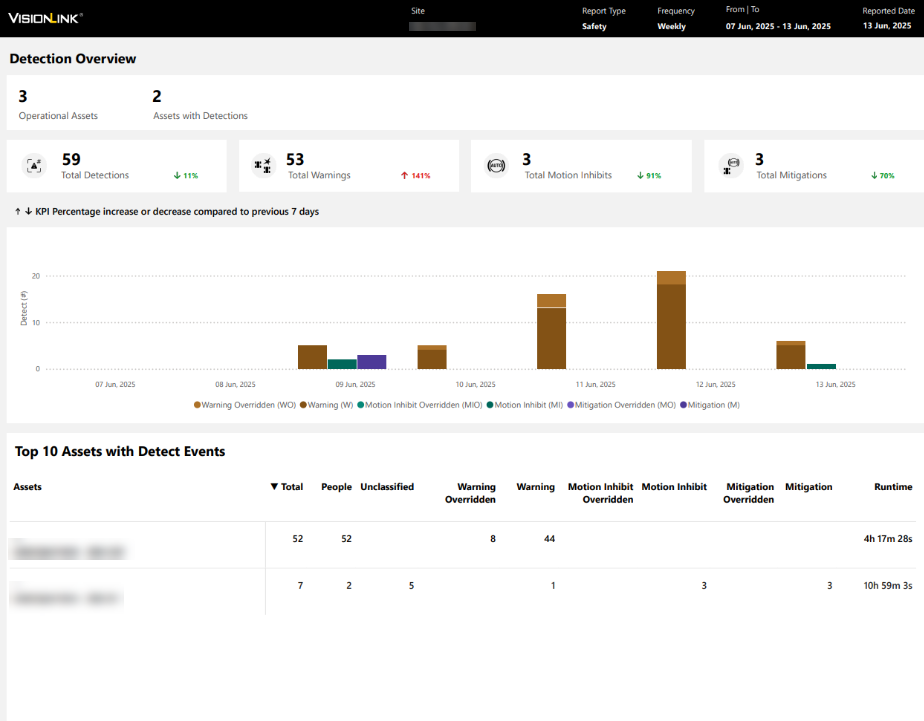
Now, track all overridden detect events on Safety (Site). This helps you view all reported detect events or choose to focus only on the important events.
_DetectOverview.png)
View Overridden Events in Safety Summary Report
Scheduling and downloading Safety Summary Report now provides overridden detect events for a more comprehensive safety analysis. You can always choose to exclude these details from the generated report.
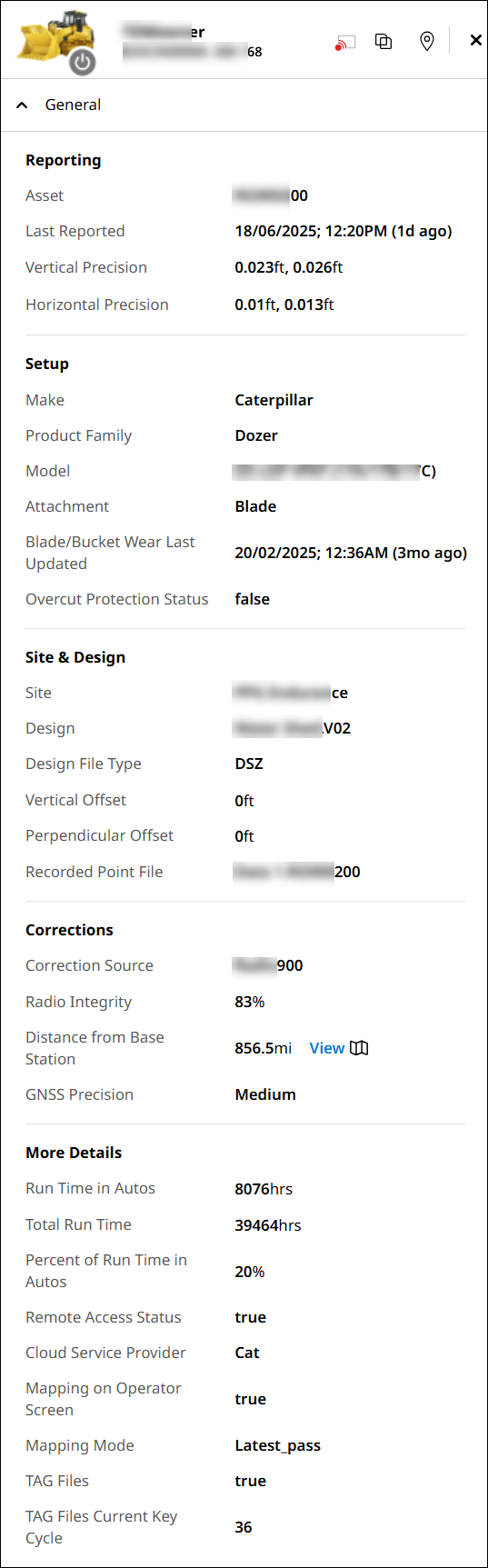
View New Parameters in the Grade Control Device Status Message
Now, you can view elaborate insights on device status on Grade Control System. This will help you to efficiently
-
troubleshoot device problems and
-
track and manage devices.
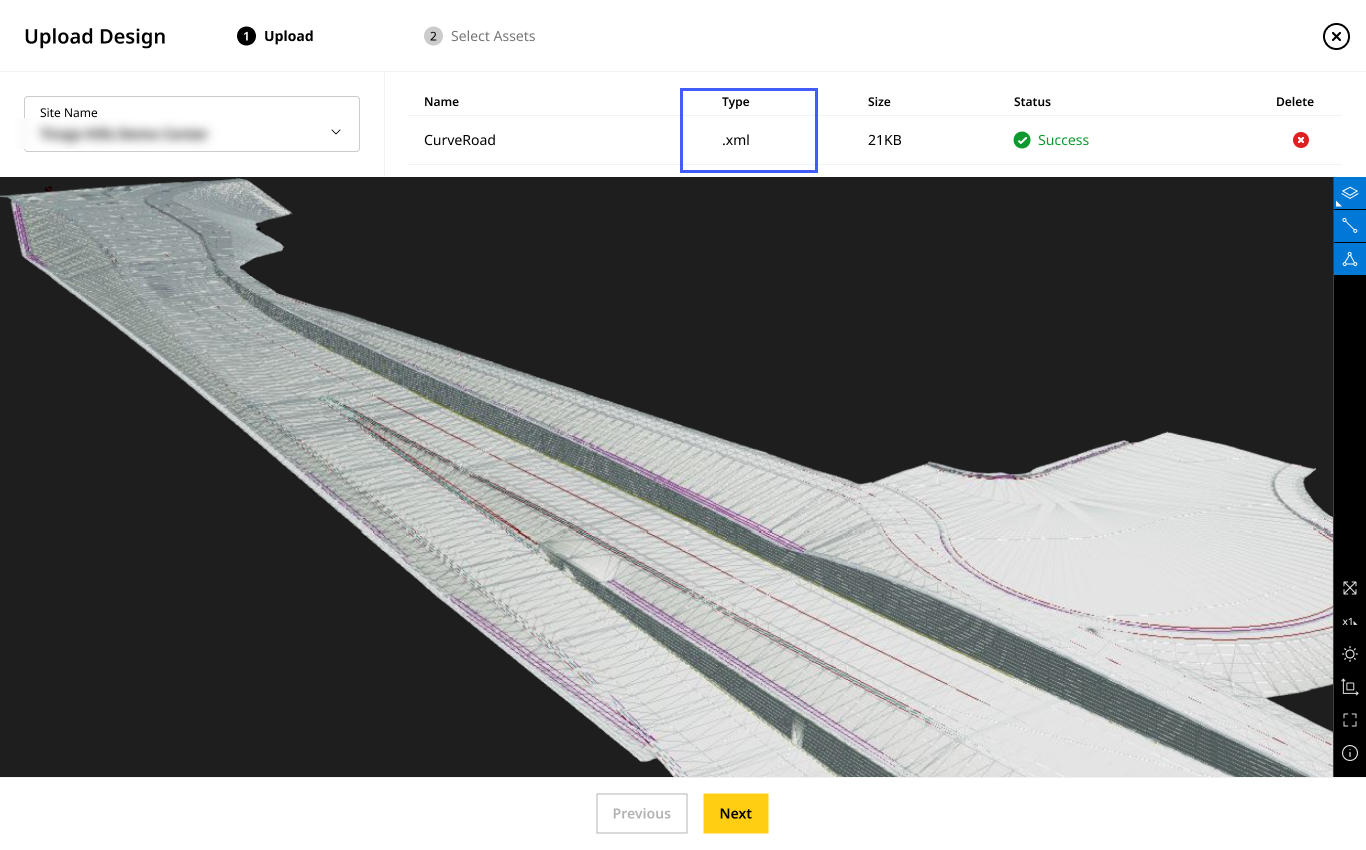
Visualize and Preview LandXML Parsing
Now, preview all the valid surface and line work (landXML) files on Files before uploading them to your assets. This will help you with the following:
-
Ensure that your site’s assets receive the correct files.
-
Determine and track the remaining work on Site Summary and Map (Insights).
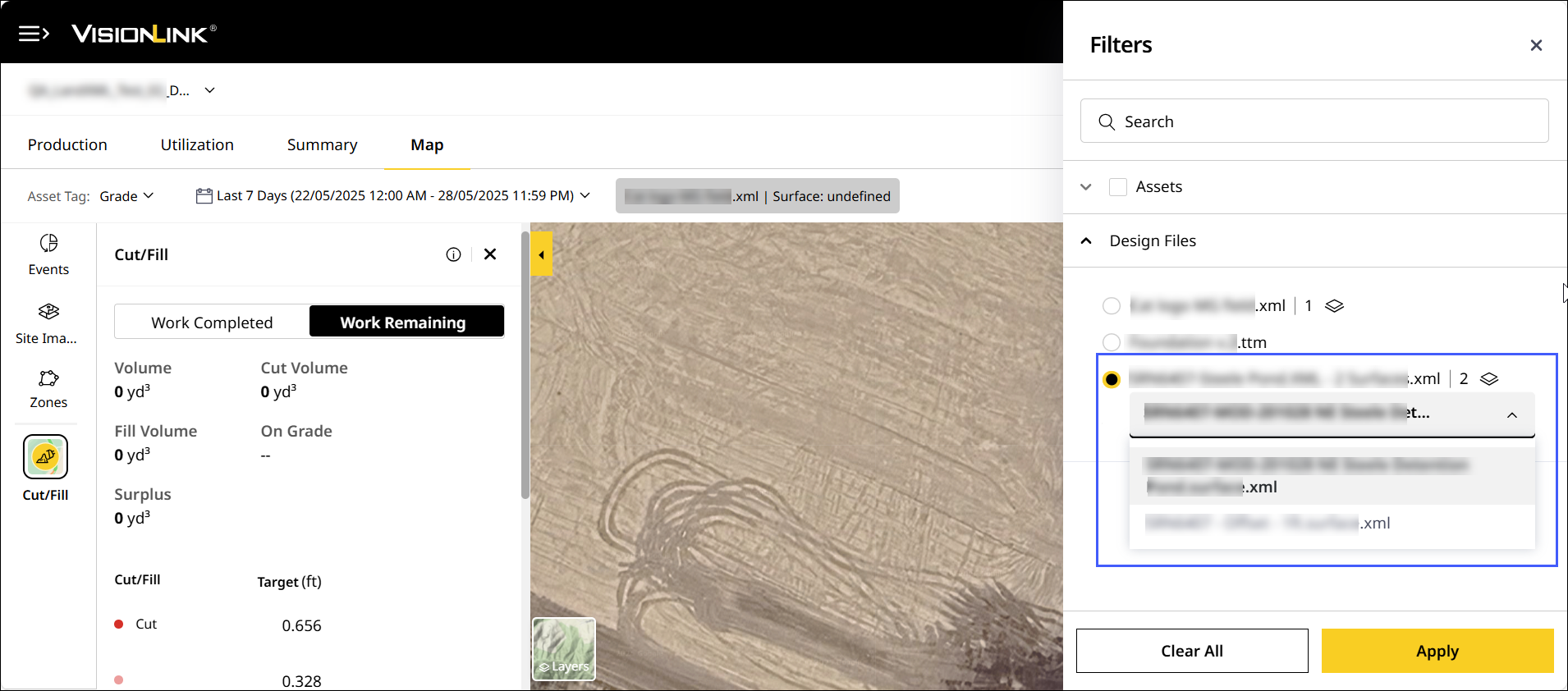
View Available Surfaces to Track and Compare Work Remaining Data
Visualize available surfaces from .xml files to quickly track and compare work progress on Production (Insights) and Map (Insights). This will help in effective work assessment and decision making.
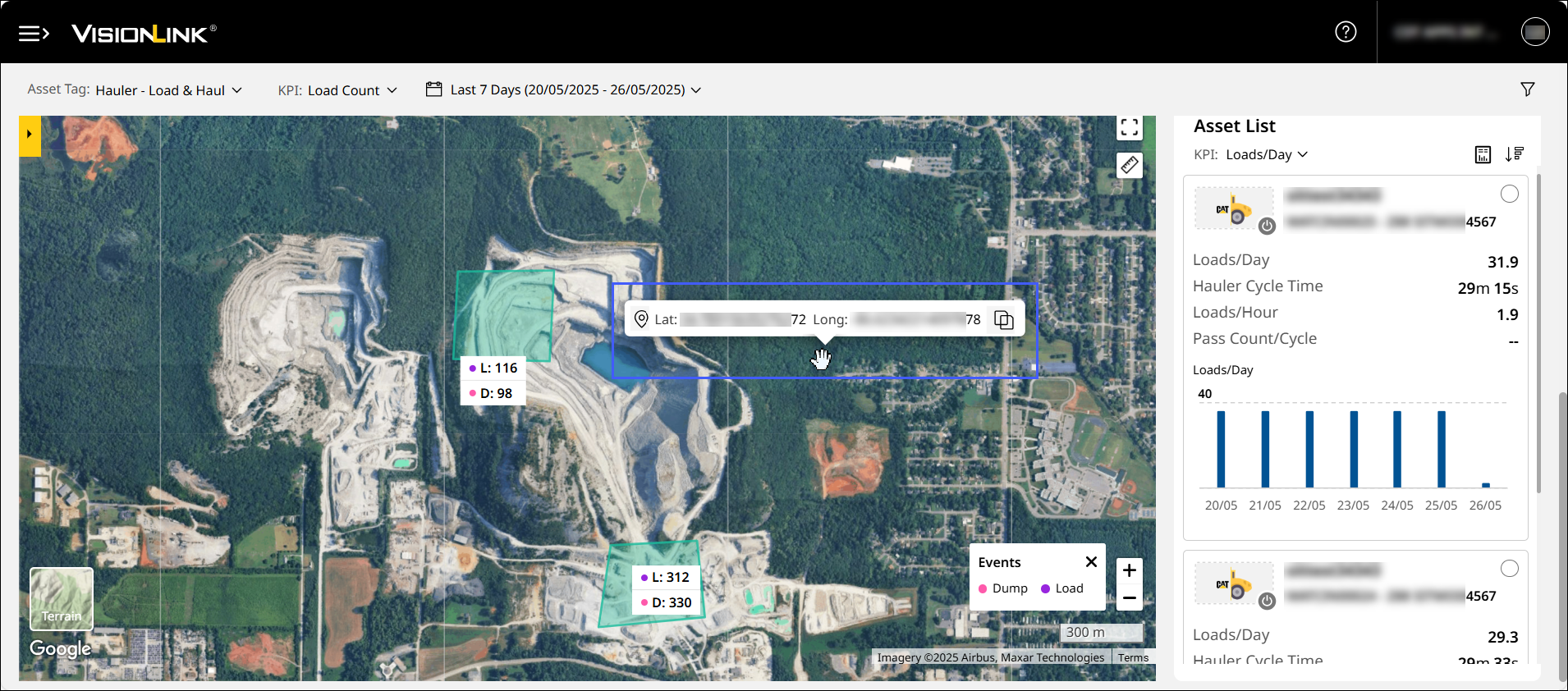
View and Copy Map Coordinates
Quickly view and copy longitude and latitude details by right-clicking on any part of a map in the application.
Resolved Assets' Empty Data Issue for Specific Dates: CPI 560361
On Production (Site), data for two compact assets wasn’t displayed beyond a certain date due to the system replacing existing values with null ones. The issue has now been fixed and the recorded data is now visible.
Fixed Bulk Admin Access and Site Data Visibility Issue: CPI 559044
Some Admins were unable to view their site’s data in their account (CCID). This was due to issues in processing information in bulk. The issue has been resolved and Admins can access their site details.
Rectified Asset Report Download Issue: CPI 560491
For asset IDs with special characters and spacing, the application displayed a network error message. The backend team has fixed this issue and the reports can be downloaded as expected.
Fixed Incorrect Payload Data Issue: CPI 558730
On Production (Insights), the Total Payload column displayed the same values for a site with different assets across different days and times. This was a backend issue which has been fixed to show accurate values.
Rectified Incorrect Runtime Data Issue: CPI 560552
On Production (Site), assets displayed null Runtime Hours values even when Daily Payload and Daily Cycles data were recorded. The backend team has fixed the gap and the column now displays accurate data.
Resolved Truncated Asset ID Display Issue: CPI 562079
On Asset List, asset IDs were shortened to display only four digits. This issue was caused due to the recent update in the interface’s component dimensions. The issue has been fixed and the asset IDs display as expected.