November 2025
Utilize VisionLink’s Grade Features via Third-party Systems
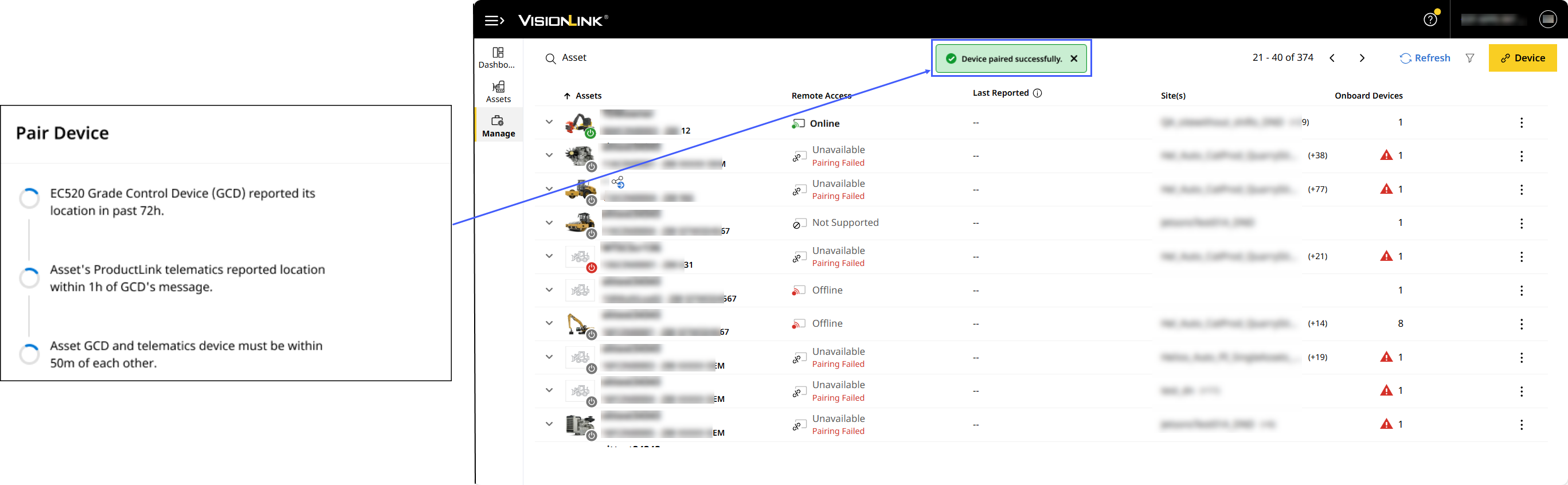
Now, pair assets with EC520 grade control devices (GCDs) to enable all VisionLink Grade features without needing a factory-installed network manager (PLE742/PLE743).
Upload and Preview 2D Avoidance Zone File
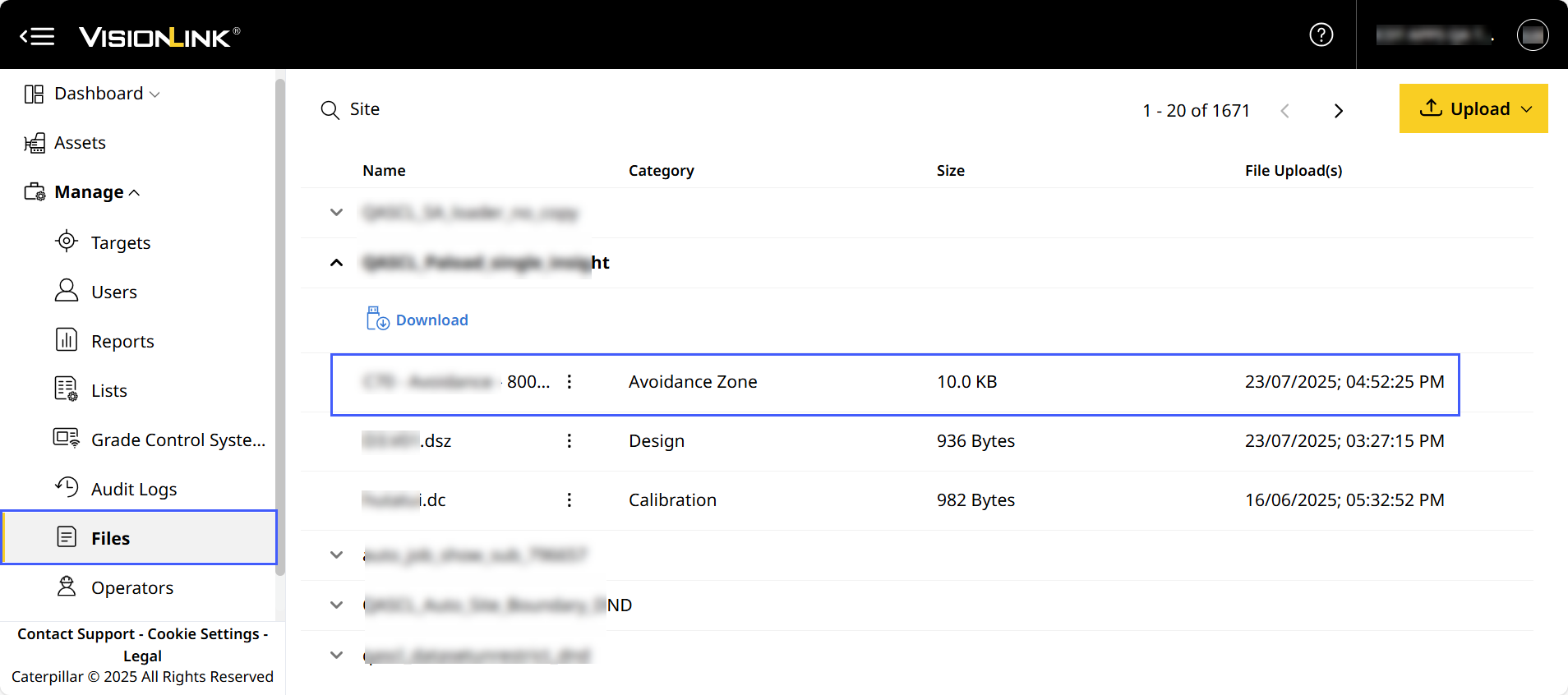
Now, remotely upload avoidance zone files (avoid.svl) and preview the zones before syncing the file to the site’s assets. This displays onboard, alerting operators about restricted and hazardous areas, mitigating risk and ensuring efficiency.
Schedule and Download Cycle Reports with Product Family-specific Columns
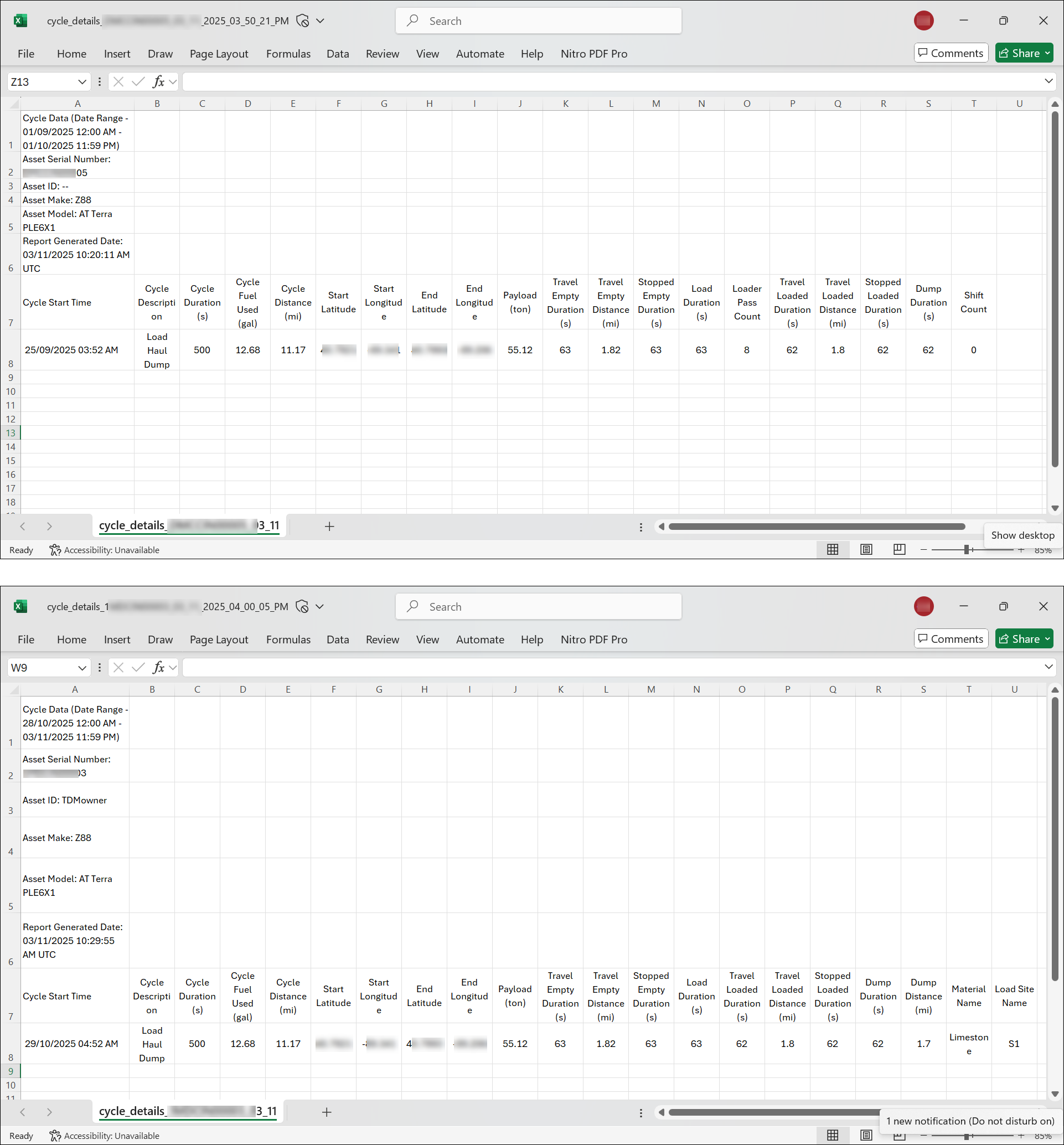
Now, schedule and download cycle details reports that are specific to product family preferences. For specific product families, the report will include tailored new columns to give you more relevant insights.
Improve Payload Overload Visibility
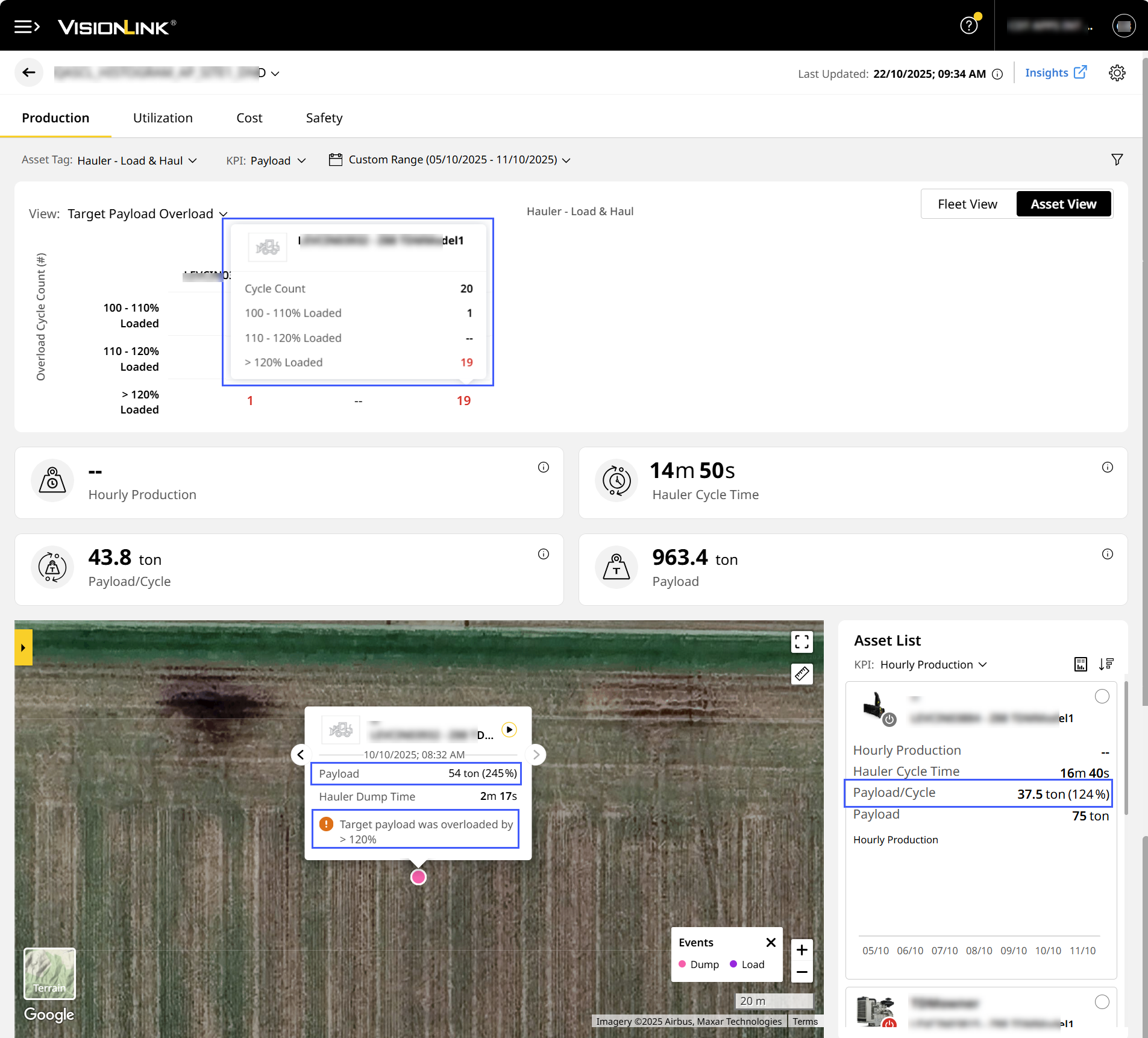
Now, track and filter payload overloading from the new 100-110% range, along with the existing 110–120% and >120% ranges. On Site Summary Asset List and Map View, view the payload percentage alongside payload value, with overloading alerts for quick assessment of loading efficiency.
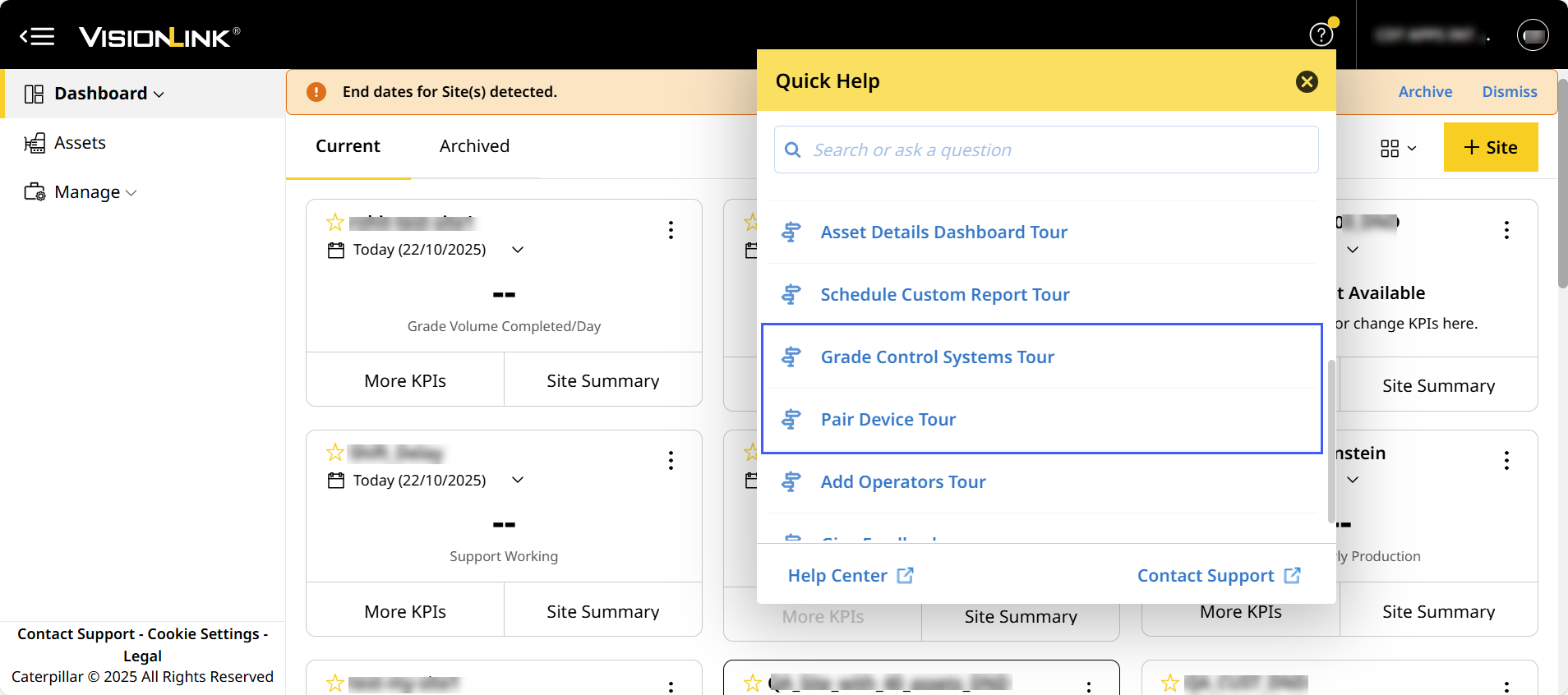
Explore Grade Control System and Device Pairing with Guided Tours
The following guided tours help with:
- Learning about the Grade Control Systems including its features and benefits for improving grade accuracy.
- Understanding how to pair a grade control device (GCD) with an asset enabling efficient integration and performance.
Rectified List Order Retain Issue: CPI 565657
On Lists, the list order changes weren’t saved or reflected in the application. The backend system now correctly retains and reflects the preferred list order.
Workaround for Truck Count Upload Limit Issue: CPI 567072
On Lists, there was an issue when uploading a truck list of more than 100 entries for EZY-prefixed assets. These assets now support an on-board upload of up to 500 entries. To enable larger upload, increase the list to 101 entries on the asset. This allows the application to accept lists beyond 100 as expected.
Fixed Asset Filter Issue on Traffic Map: CPI 567152
On Map (Insights), the traffic details on map view weren’t updated based on selected asset filters. This was because the backend API wasn’t updating to fetch the necessary data. This has been fixed and traffic details display correctly according to the applied filters.
Resolved Asset Payload Data Display Issue: CPI 567575
On Production (Asset), a PerformancePro-subscribed asset wasn’t displaying any payload or cycle data. This happened because of a mismatch with the asset’s registered account (CCID) Post correction, the asset now displays production data as expected.
Fixed Safety (Site) Loading Issue: CPI 568085
On Safety (Site), after changing the date for Support asset tag, the page wasn't loading. Only after clicking on the page did data appear, caused by the system not responding to a backend update. The issue has now been resolved and the data loads as expected.