Configuring Runtime Data Using Custom Reports
You can schedule a customized Custom Report to access all runtime data offline to share or further analyze.
This replaces Runtime Report.
To schedule Custom Report with runtime data:
-
Click
 .
.
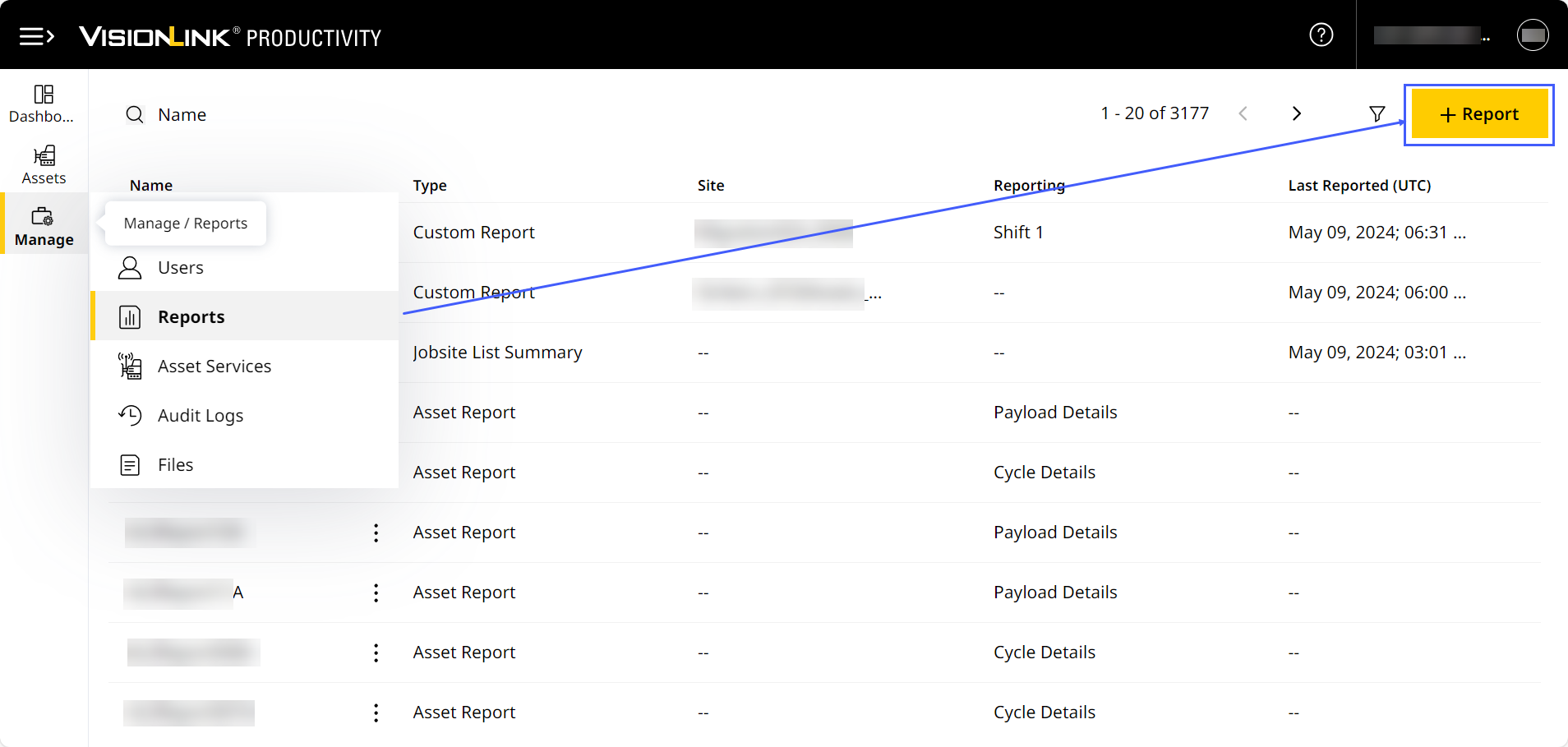
-
This displays Schedule Report. Under Type, Custom Report will be selected by default.
-
Add Report Name.
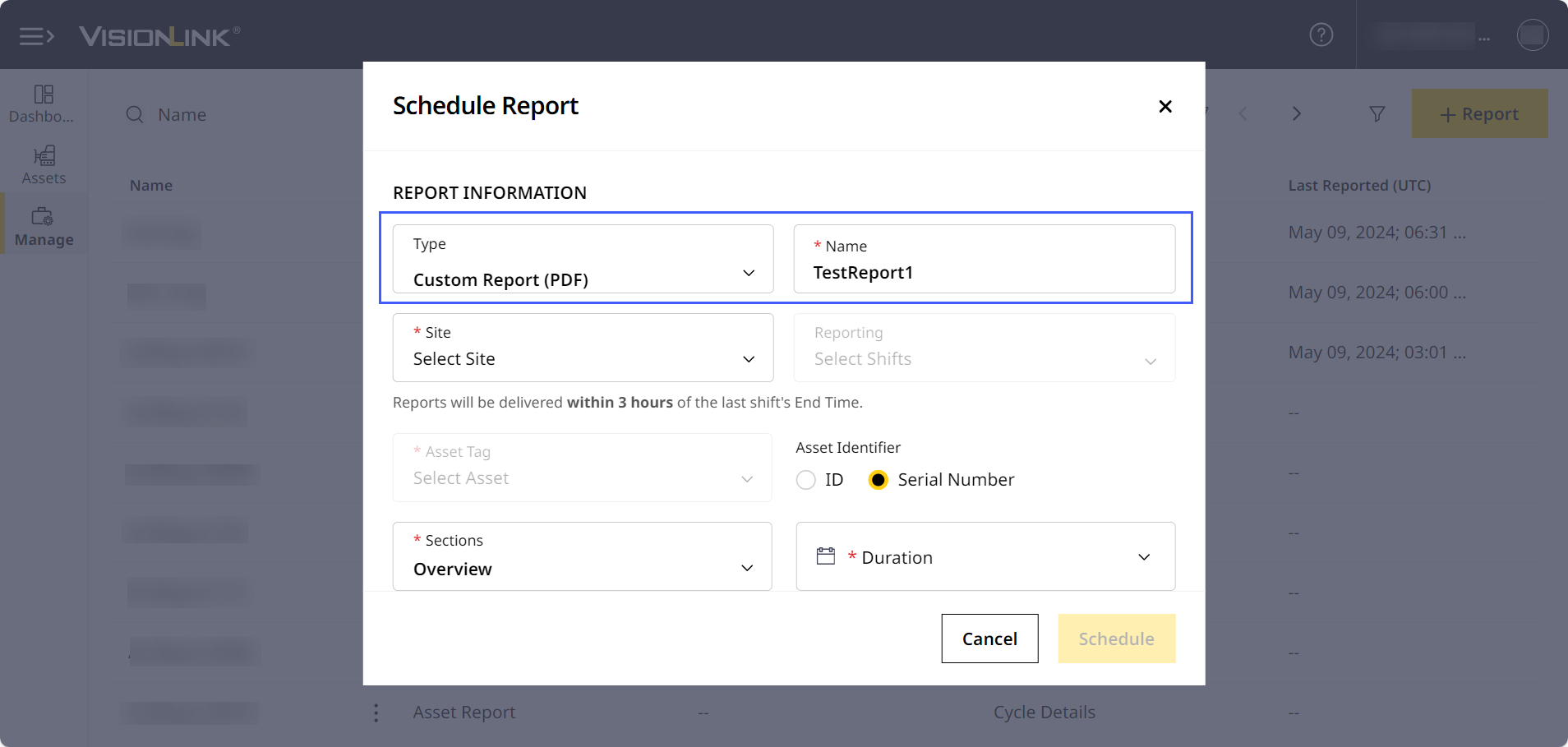
-
Runtime data is available for the following time periods:
-
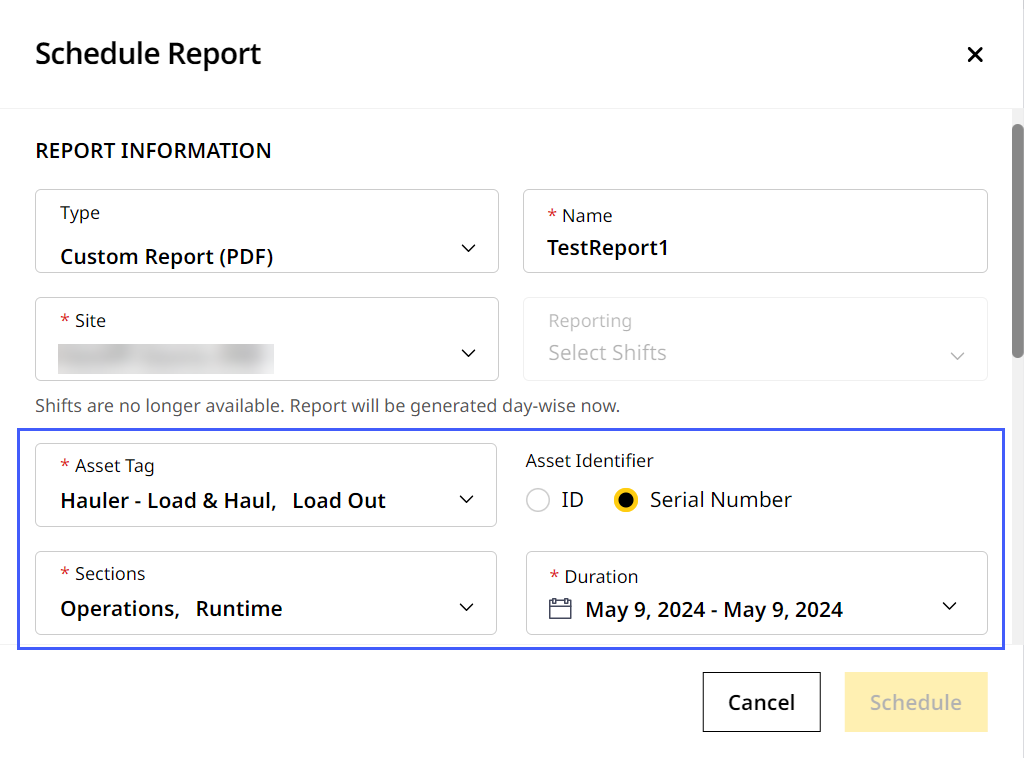
Daily: Select a site that records day-wise data.
-
Choose Asset Tag and Asset Identifier.
-
Under Sections, select Operations and Runtime.
-
Set Duration to a single day of choice.
-
-
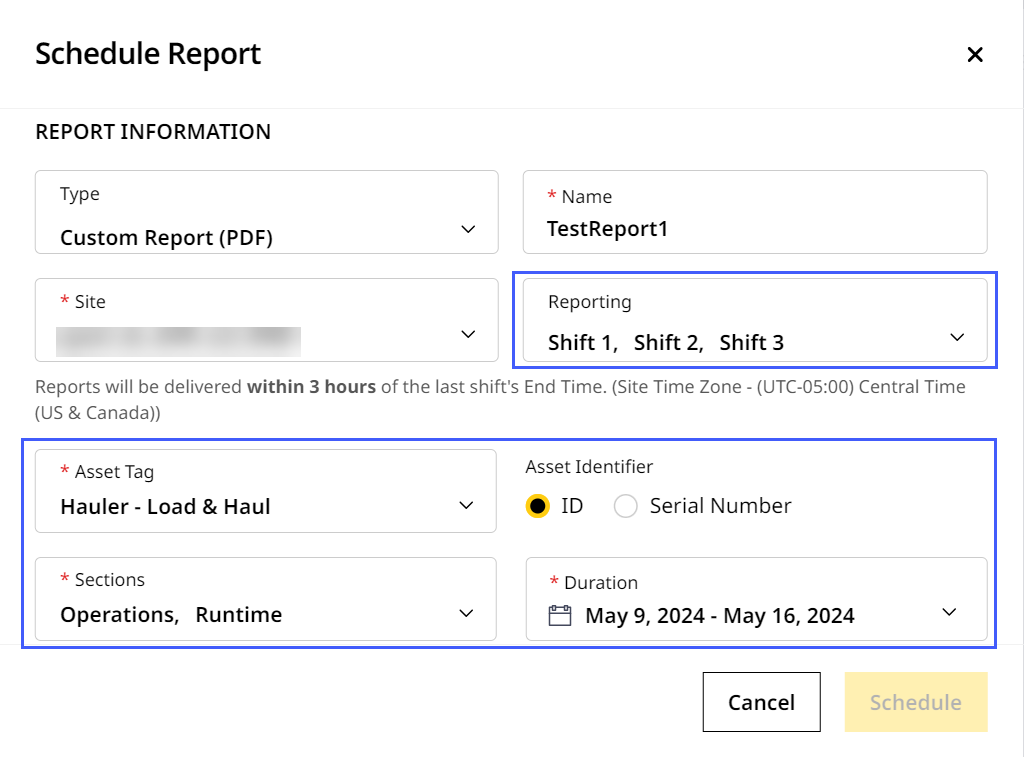
Shifts: Select a site that supports shifts. This enables Reporting drop down.
-
Under Shifts, select from Shift 1-3.
-
Choose Asset Tag and Asset Identifier.
-
Under Sections, select Operations and Runtime.
-
Set Duration as you wish.
-
-
-
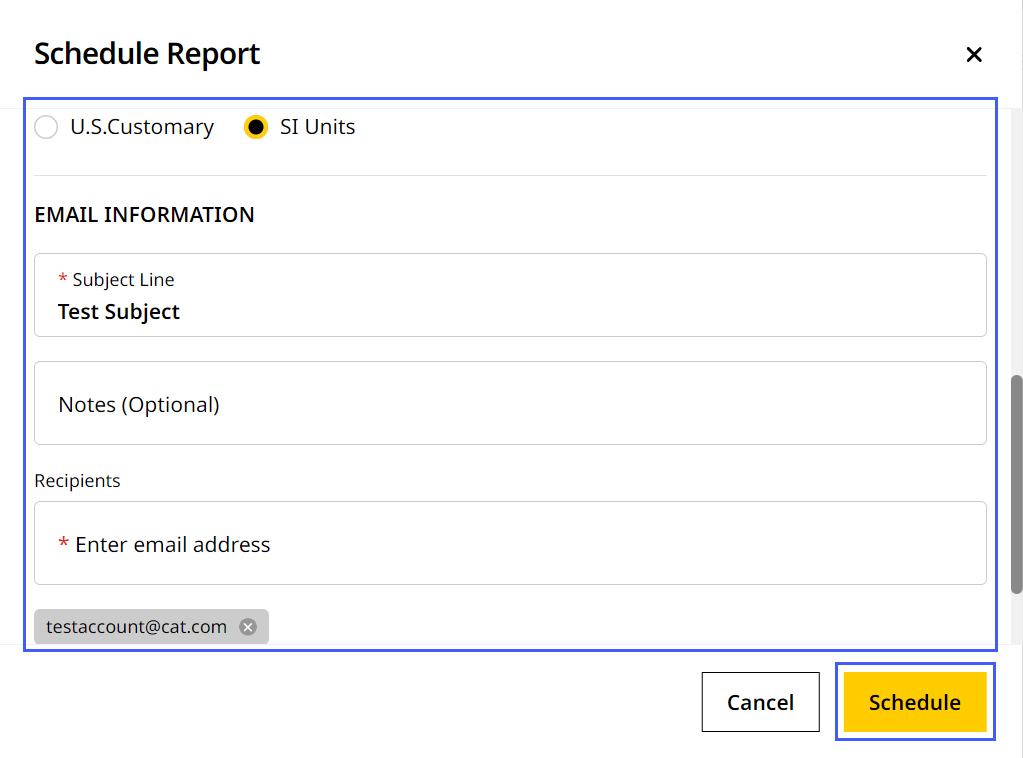
Fill in the remaining details (units of measurement and email information). To know more, refer to Schedule Report.
-
Click Schedule.
You can now access a report with runtime data containing the following metrics (by asset type):
-
Shift-wise data
-
Day-wise data
-
Number of assets