Edit Report
Once scheduled, a report can be modified in the future. This allows you to add more recipients, change frequency, update name and more.
To edit a scheduled report:
-
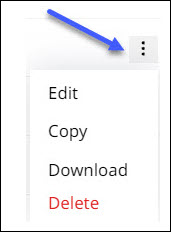
Click more options
 against the report you want to edit and open the options list.
-
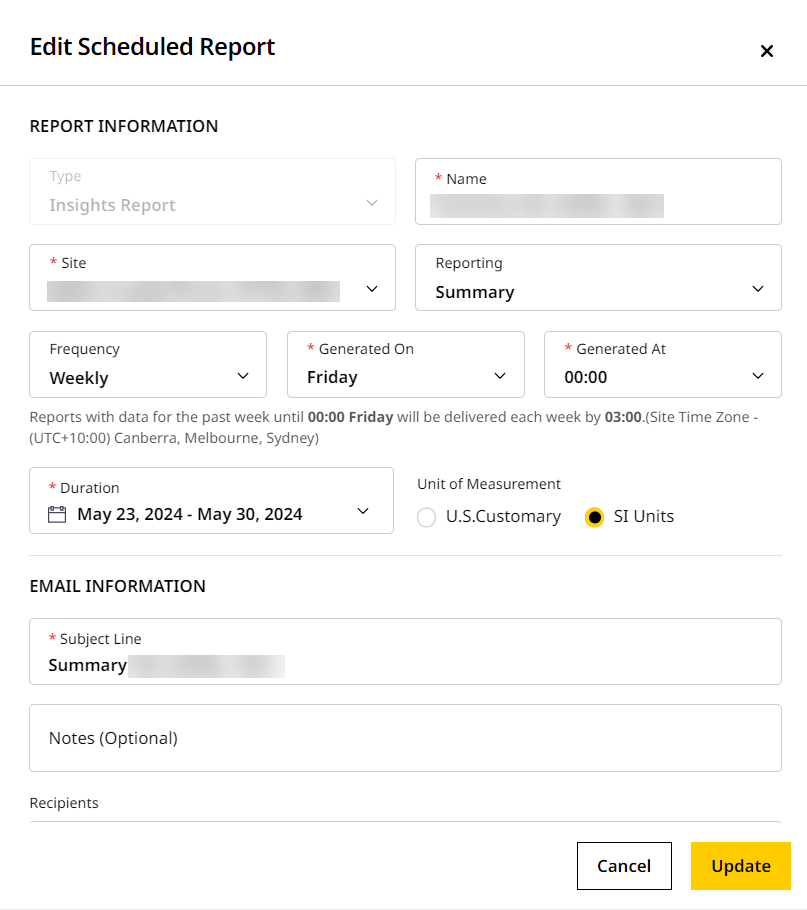
Click Edit to open Edit Scheduled Report.
-
Make changes, if any, to the Report Information and Email Information sections. Keep in mind the following:
-
The report Type cannot be changed.
-
Any changes to the start or end date should be from the current date forward and no past dates.
-
Any changes to Site name, Frequency or account will trigger an auto date change in the start and end dates. This occurs (based on the report Type) if the original report is post-dated.
-
Adding any new Recipient will only send the report to them as per the frequency set in the given duration.

For any scheduled Volume & Density report, if a custom zone was added, that cannot be edited. Instead, you’ll have to go the respective site’s Map (Insights), create a new custom zone and schedule a report for the same. -
-
Click Update to confirm changes.