Download Report
It is available for scheduled reports already sent to recipients and display the Last Reported Date Time.
To download a report:
-
Click more options
 against the report you want to download and open the options list.
 -
View progress of the download displayed for all but Insights reports.
-
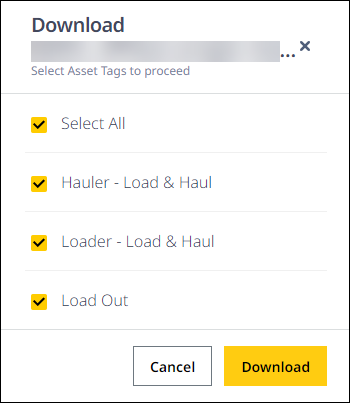
For such reports, select some or all the available asset tags, based on which the report data will be filtered.
Click Download to generate and save the file. Unselecting all asset tags will disable the Download button.
-
Once the download completes, the file is saved in the device used.